Getting Started
2.1 System Requirements
| Layer | Requirement |
|---|---|
| Server | Windows + IIS 10 hosting the ASP.NET app on http://<host>:8081 (default) |
| Database | SQL Server 2016+ (also supports MySQL 5.7+ / PostgreSQL 10+) |
| Browser | Chrome / Edge / Firefox (latest two major versions) |
| Resolution | 1280×800 minimum; 1440×900+ recommended |
| License | Extended Edition or higher for API/JSON, MFA, multi-database |
2.2 Signing In
Open the EQQ URL (default http://localhost:8081/) in a browser. You arrive at the sign-in screen.
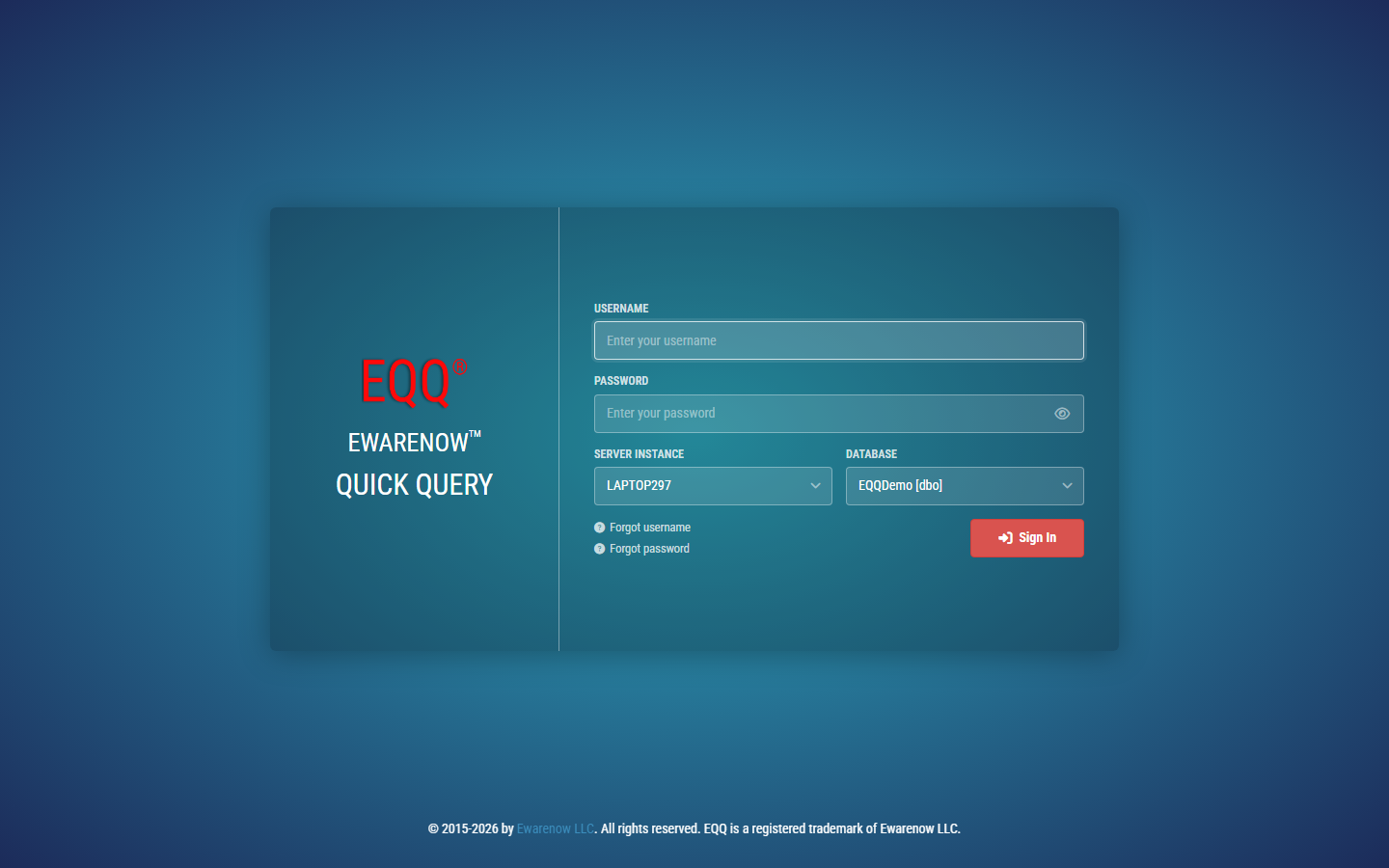
Fields:
| Field | Notes |
|---|---|
| Username | Your EQQ user name (case-insensitive). |
| Password | Subject to the configured password complexity policy. |
| Device Password | Optional - local device trust string, used with MFA "Remember device". |
| Database dropdown | The target database scope for this session. Users can be restricted. |
| Forgot username | Sends a recovery email (if SMTP is configured). |
| Forgot password | Sends a password-reset link (if SMTP is configured). |
Click Sign In. If MFA is enabled on the account you will be challenged for a TOTP code (Email OTP or Authenticator App).
Default admin
Sign in with EQQAdmin and the password you set during installation. Create at least one additional Security Administrator so you are not locked out if EQQAdmin is ever disabled.
2.3 The Home Dashboard
After sign-in you land on the Home page (/#!/home).
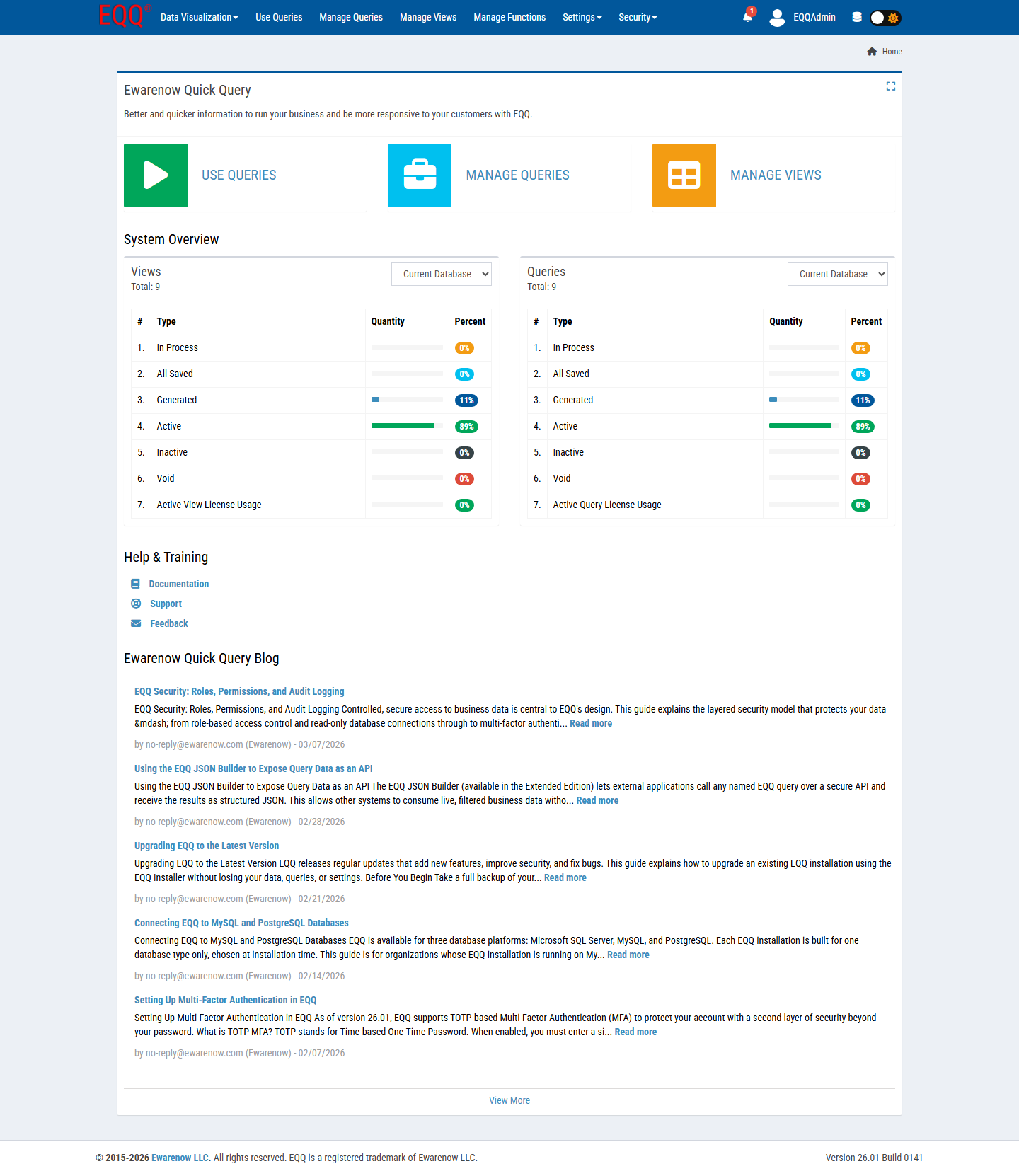
What you see:
- Three jump tiles - Use Queries, Manage Queries, Manage Views. Shortcuts to the most frequent screens.
- System Overview - status breakdown for Views and Queries in the selected Current Database. Each lifecycle state (In Process, All Saved, Downloaded, Active, Inactive, Void) is shown with quantity and percent bar. The last row shows License Usage.
- Help & Training - quick links to Documentation, Support, and Feedback.
- Ewarenow Quick Query Blog - in-product feed of release notes and how-to articles.
Tip
Use the Home dashboard at the start of every session to verify license headroom before creating new queries.
2.4 Navigation Overview
The top bar is the primary navigation. Menu items are hidden based on your role permissions - if you can't see a menu, no role grants you that permission.

| Menu group | Items | Typical role |
|---|---|---|
| Data Visualization | Query To JSON, Query To Chart | Query User |
| Use Queries | (single page - run queries) | Query User |
| Manage Queries | (single page - design queries) | Query Creator |
| Manage Views | (single page - import and configure views) | View Creator |
| Manage Functions | (single page - import and configure functions) | Function Creator |
| Settings | Control, Database, Query Type, Function Categories, License Manager | Settings Administrator |
| Security | Users, Roles, Password Setting | Security Administrator |
Top-right controls:
- Notification bell - unread activity (e.g. background jobs completing).
- User avatar + name - click to open My Account.
- Database icon - quick switcher for the active database scope.
- Light/Dark mode toggle - persists per user.