Administration
8.1 Security → Users
Navigate: Security → Users.
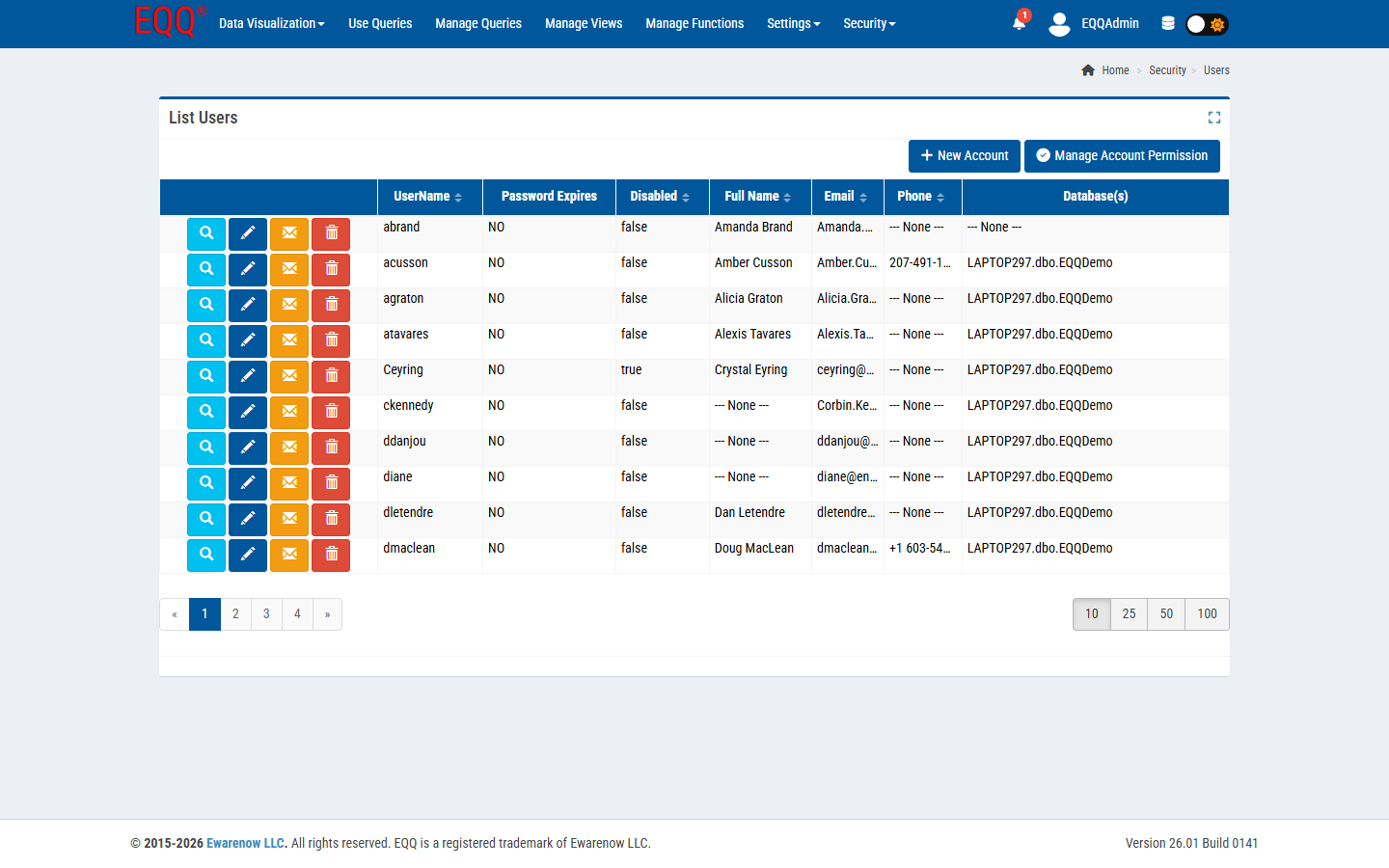
Columns: UserName, Password Expires, Disabled, Full Name, Email, Phone, Database(s).
Row actions
- Magnifier - view full profile and assigned roles.
- Blue pencil - edit profile, roles, database scope.
- Envelope (orange) - send the user a password-reset email.
- Trash - disable the account (soft). The user stays in audit history but cannot log in.
Top actions
- + New Account - create a user: username, full name, email, initial password, assigned roles, allowed databases.
- Manage Account Permission - bulk permission matrix editor; useful after importing a new batch of users.
Database scope
A user with no databases cannot see any queries. Assign at least one.
8.2 Security → Roles
Navigate: Security → Roles.
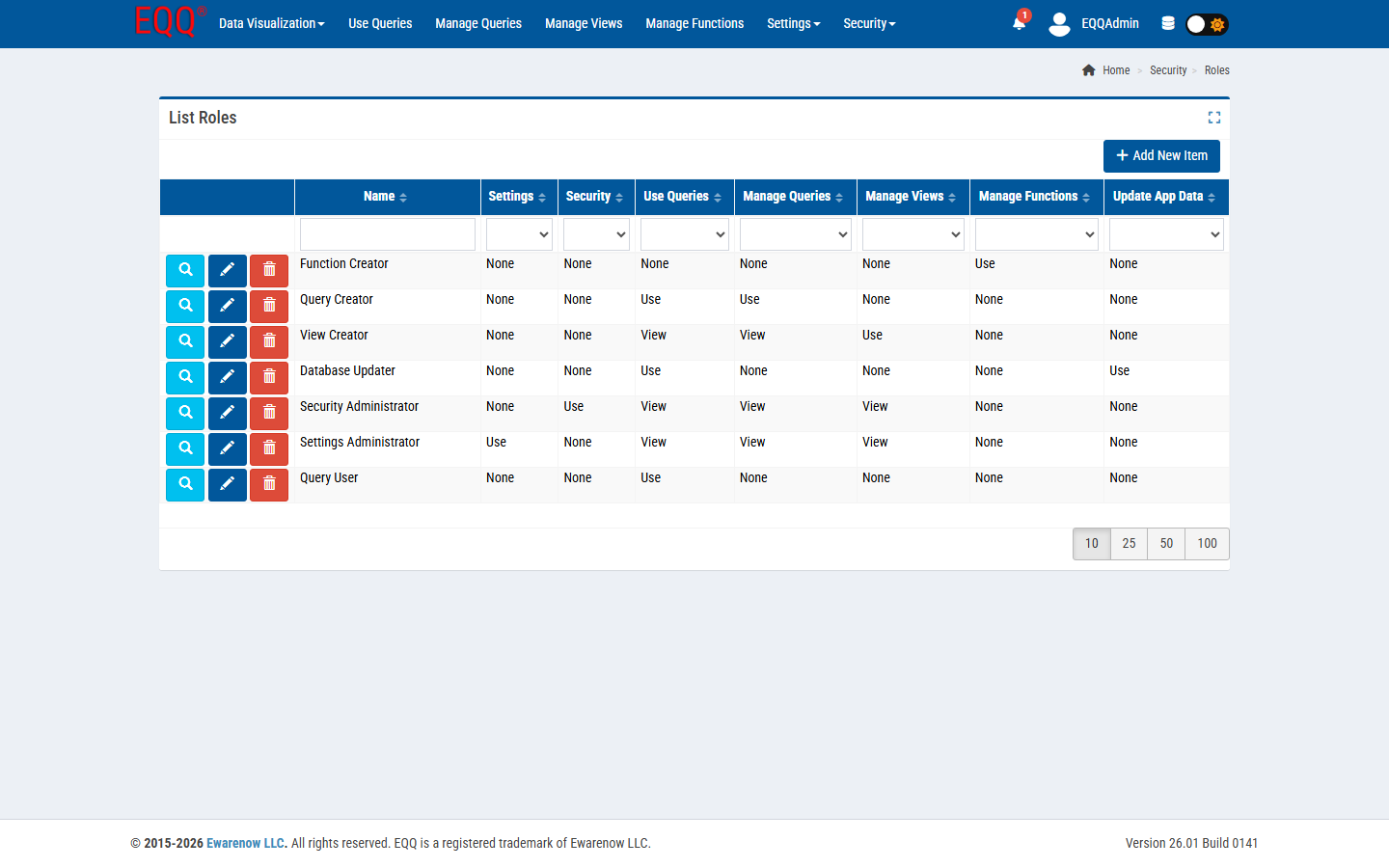
EQQ ships with seven seed roles. The matrix shows what each role can do in each subsystem (None, Use, View, Manage):
| Role | Settings | Security | Use Queries | Manage Queries | Manage Views | Manage Functions | Update App Data |
|---|---|---|---|---|---|---|---|
| Function Creator | None | None | None | None | None | Use | None |
| Query Creator | None | None | Use | Use | None | None | None |
| View Creator | None | None | View | View | Use | None | None |
| Database Updater | None | None | Use | None | None | None | Use |
| Security Administrator | None | Use | View | View | None | None | None |
| Settings Administrator | Use | None | View | View | View | None | None |
| Query User | None | None | Use | None | None | None | None |
Create custom roles with + Add New Item.
Best practice
Layer seed roles per user rather than editing the seed roles directly.
8.3 Security → Password Setting
Navigate: Security → Password Setting.
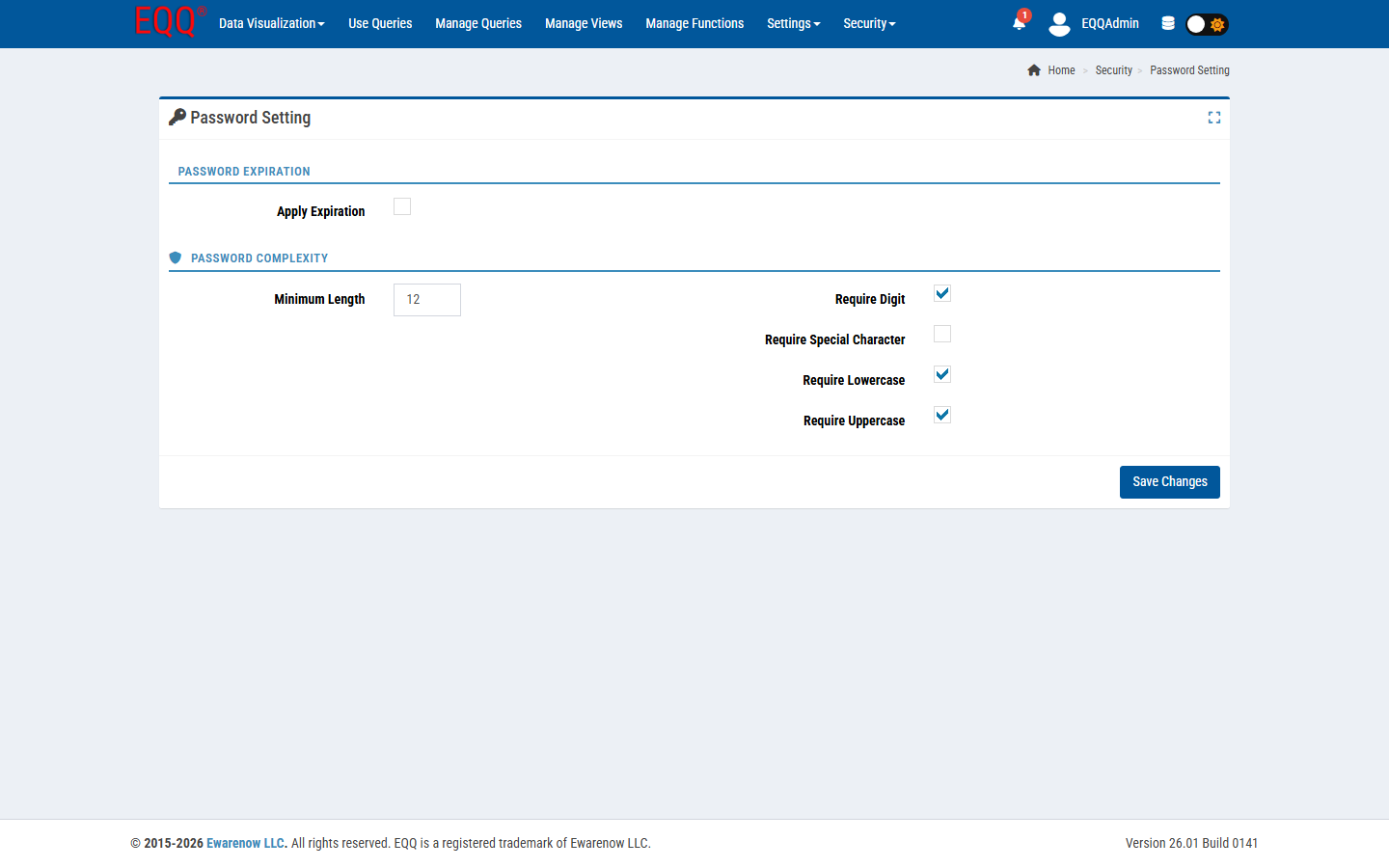
| Control | Default | Notes |
|---|---|---|
| Apply Expiration | off | If on, admins set per-user expiry dates; users rotate on login. |
| Minimum Length | 12 | Applied on Create Account and Change Password. |
| Require Digit | on | At least one 0-9. |
| Require Special Character | off | Set on for stronger policy. |
| Require Lowercase | on | |
| Require Uppercase | on |
Click Save Changes to apply. Existing passwords are not re-validated until next rotation.
8.4 Settings → Control (App Settings)
System-wide configuration for the EQQ application. Most values can be edited inline (click the blue pencil).
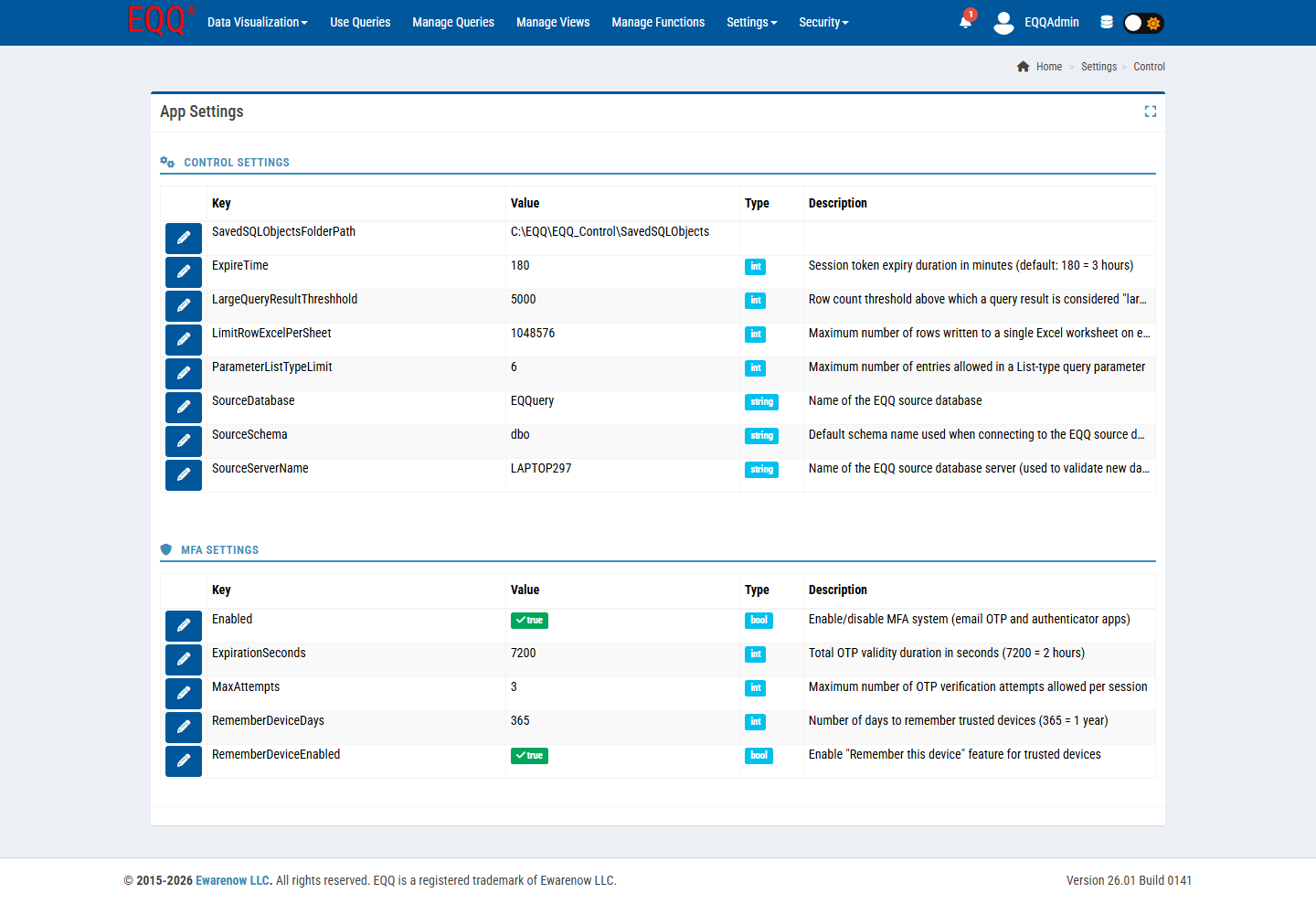
Control Settings
| Key | Type | Default | Meaning |
|---|---|---|---|
| SavedSQLObjectsFolderPath | string | C:\EQQ\EQQ_Control\SavedSQLObjects |
Where generated SQL scripts are persisted on the server. |
| ExpireTime | int | 180 | Session token expiry in minutes (180 = 3 hours). |
| LargeQueryResultThreshhold | int | 5000 | Row count above which a result is treated as "large" (streamed). |
| LimitRowExcelPerSheet | int | 1048576 | Max rows per Excel worksheet on export. |
| ParameterListTypeLimit | int | 6 | Max entries allowed in a List-type parameter dropdown. |
| SourceDatabase | string | EQQuery | Primary metadata database. |
| SourceSchema | string | dbo | Default schema. |
| SourceServerName | string | (host name) | DB server hosting the metadata. |
MFA Settings
| Key | Type | Default | Meaning |
|---|---|---|---|
| Enabled | bool | true | Master switch - MFA available to all users. |
| ExpirationSeconds | int | 7200 | Total OTP validity duration (2 hours). |
| MaxAttempts | int | 3 | Wrong-OTP attempts before lockout. |
| RememberDeviceDays | int | 365 | Trusted-device cookie lifetime. |
| RememberDeviceEnabled | bool | true | Show "Remember this device" checkbox at MFA prompt. |
8.5 Settings → Database
Navigate: Settings → Database.
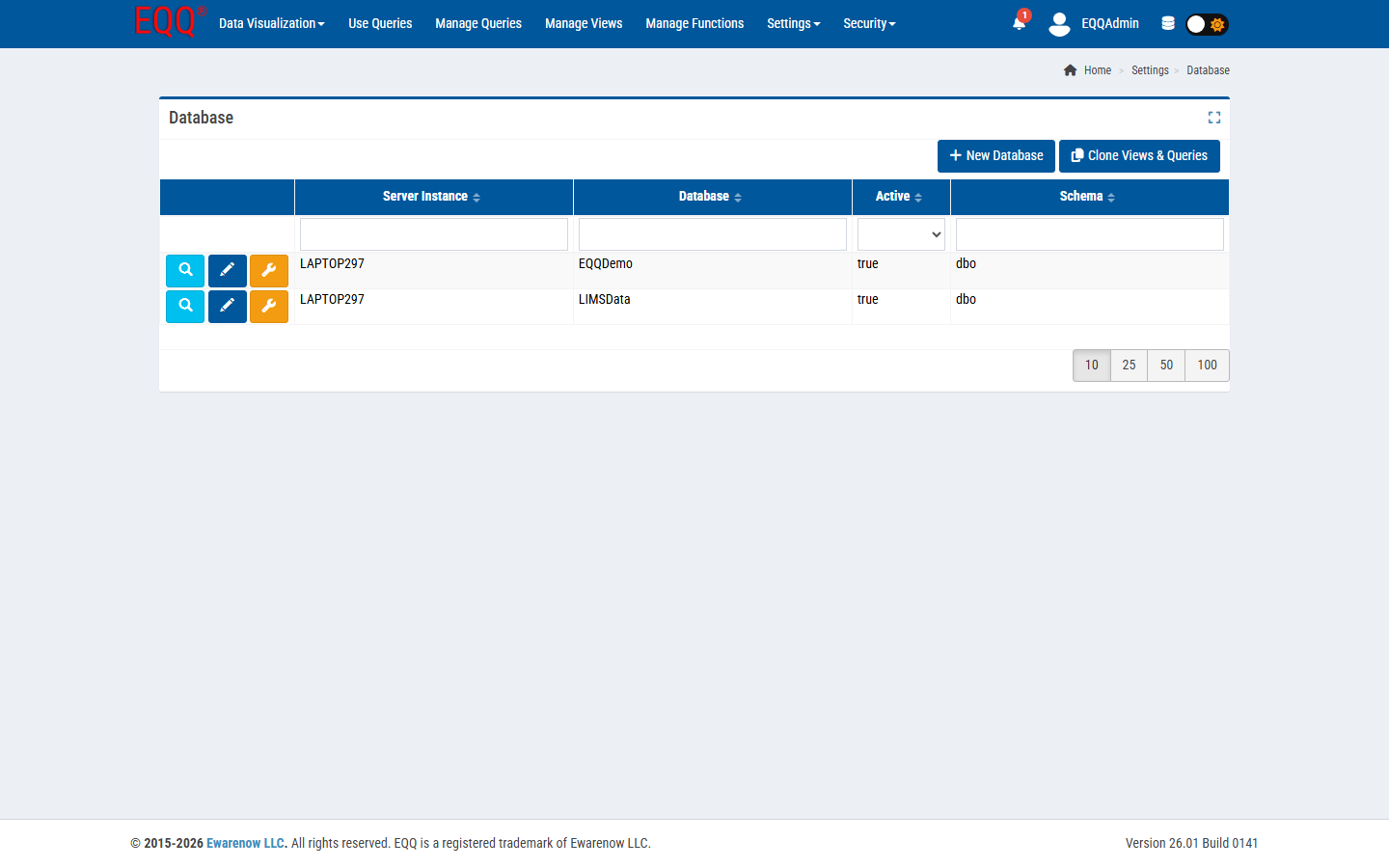
Columns: Server Instance, Database, Active, Schema.
Row actions (left icons):
- Magnifier - inspect connection details.
- Blue pencil - edit (server, DB, credentials, default schema, active flag).
- Orange wrench - run connection diagnostics and schema refresh.
Top actions:
- + New Database - add a connection (SQL Server / MySQL / PostgreSQL; test before save).
- Clone Views & Queries - copy the View and Query catalog from another configured database into this one. Used when promoting from Dev → Test → Prod.
8.6 Settings → Query Type
Query Types are the discovery taxonomy shown in Use Queries' dropdown.
Navigate: Settings → Query Type.
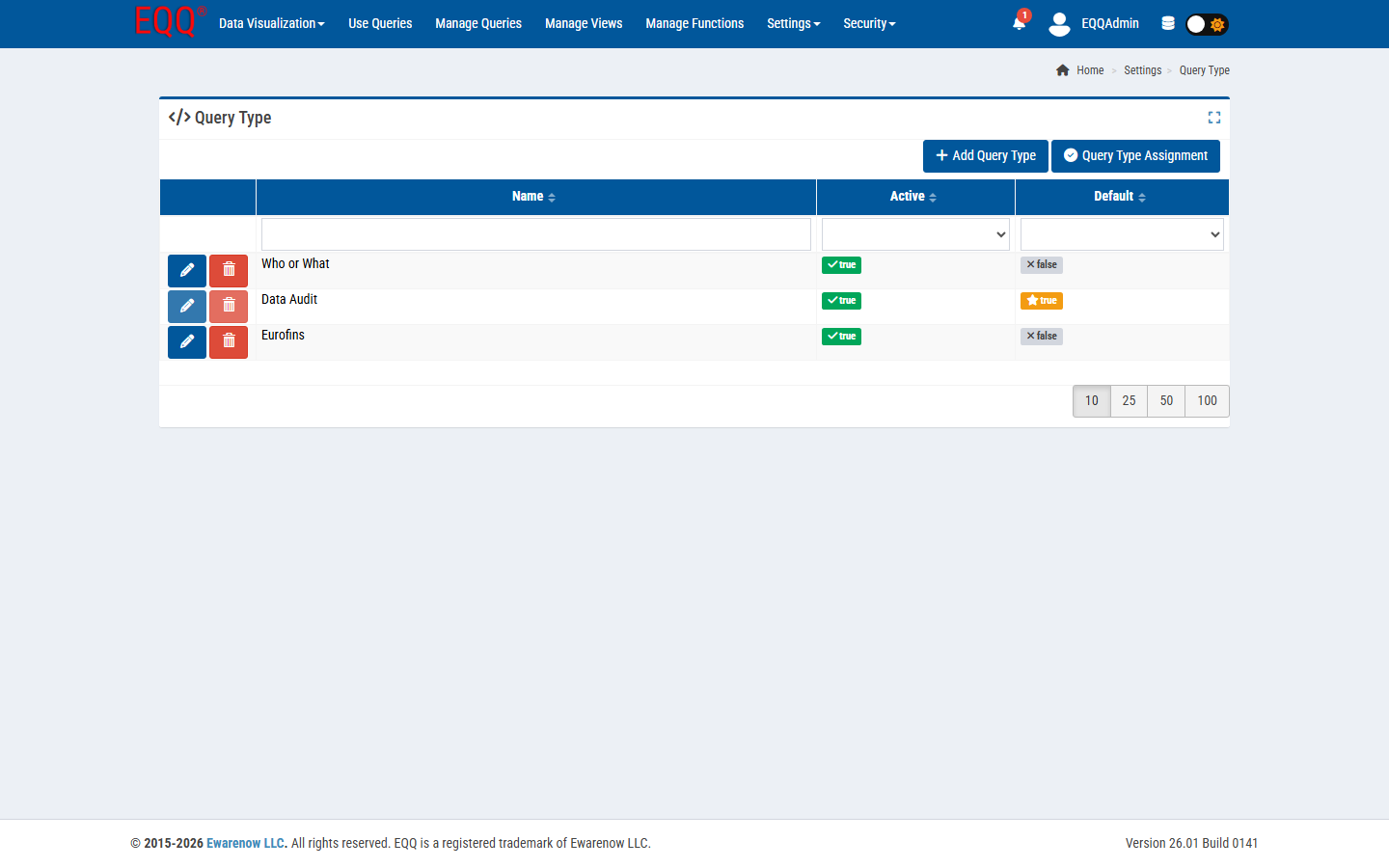
Fields per row: Name, Active, Default. The Default type is pre-selected when creating a new query.
Top actions:
- + Add Query Type - define a new category.
- Query Type Assignment - bulk re-tag existing queries between types.
8.7 Settings → Function Categories
See the Functions page.
8.8 Settings → License Manager
Navigate: Settings → License Manager.
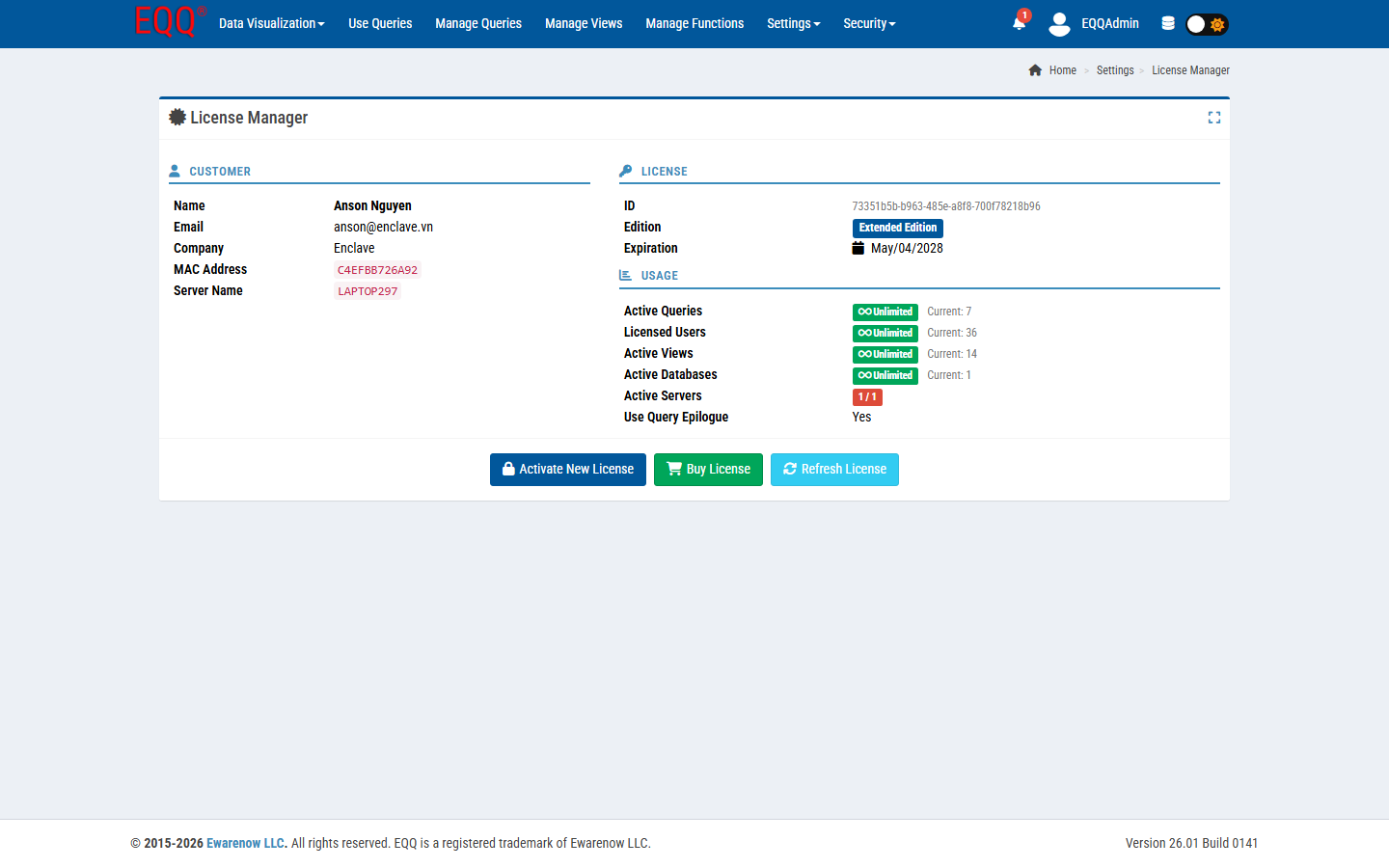
Shows:
- Customer panel - Name, Email, Company, MAC Address, Server Name.
- License - unique ID, Edition badge (e.g. Extended Edition), Expiration date.
- Usage - current consumption vs limit per dimension:
- Active Queries (unlimited in Extended)
- Licensed Users (unlimited in Extended)
- Active Views (unlimited in Extended)
- Active Databases (unlimited in Extended)
- Active Servers (1 / 1 in single-server license)
- Use Query Epilogue (Yes/No - whether the Epilogue step is available)
Actions:
- Activate New License - paste a license string from Ewarenow.
- Buy License - opens the Ewarenow store in a new tab.
- Refresh License - revalidates against the licensing service.
Footer banner: when expiry is within 30 days, a license expiring banner with a Buy Now button appears on every page. When the license is healthy, the footer shows just the version and copyright.