Advanced Topics
9.1 Cloning Views & Queries Across Databases
Scenario: you have curated queries in your Dev database and need to promote them to Prod.
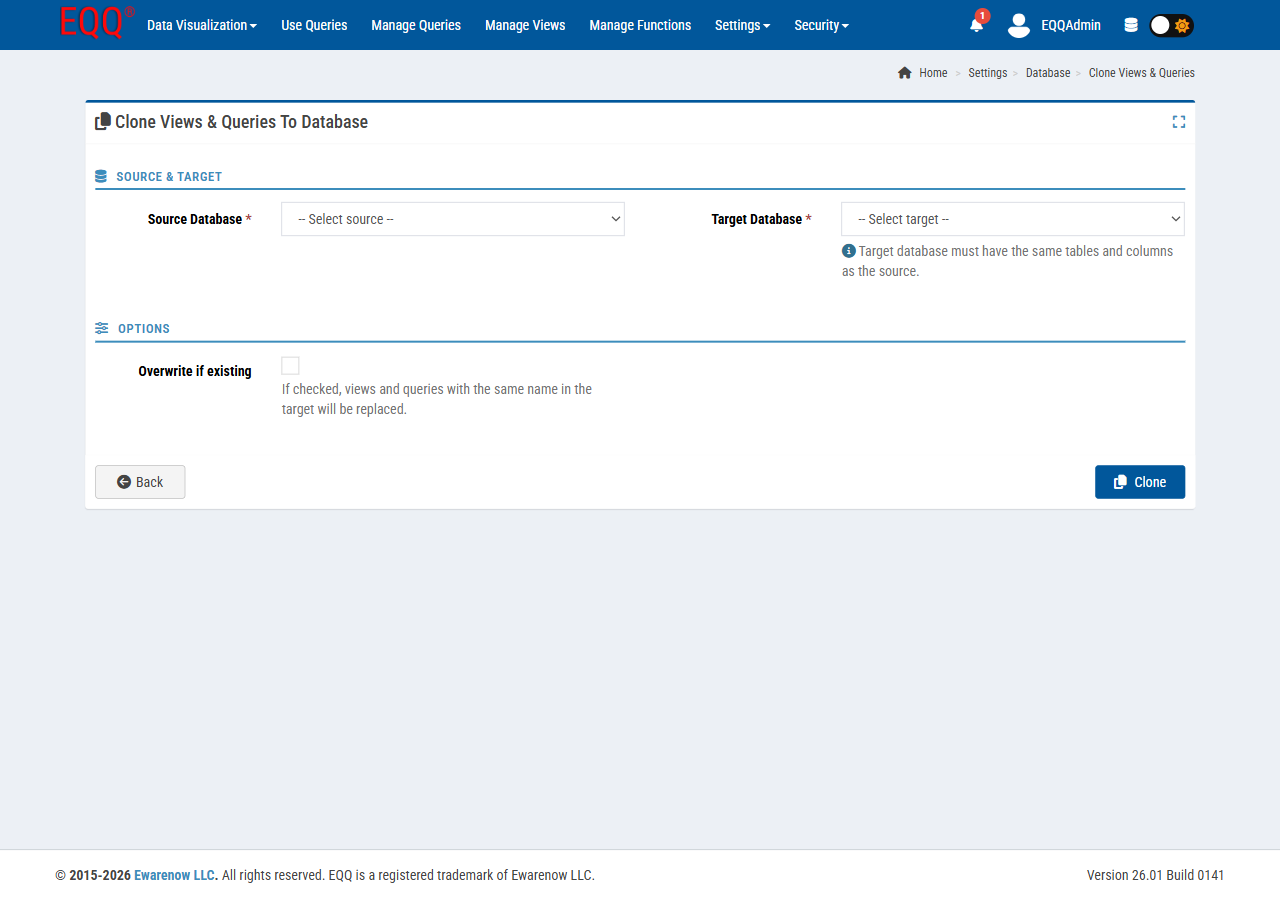
- Ensure both databases are configured under Settings → Database and both are Active.
- Settings → Database → Clone Views & Queries.
- Pick Source Database and Target Database.
- Optionally check Overwrite if existing - if checked, Views and Queries with the same name in the target are replaced; if unchecked, they're skipped.
- Click Clone.
There's no content-type selection (it clones Views and Queries together), and cloning starts immediately when you click Clone - there's no preview of what will change, so review your source database's contents yourself beforehand if you need to know exactly what will move. Behind the scenes this is a long operation; its default timeout (Clone:CommandTimeoutSeconds) is 300 seconds. Raise it in Web.config for large catalogs.
9.2 Importing Views and Functions
Both Manage Views and Manage Functions have an Import button. Use it to move definitions between environments that don't share a network (e.g. air-gapped prod).
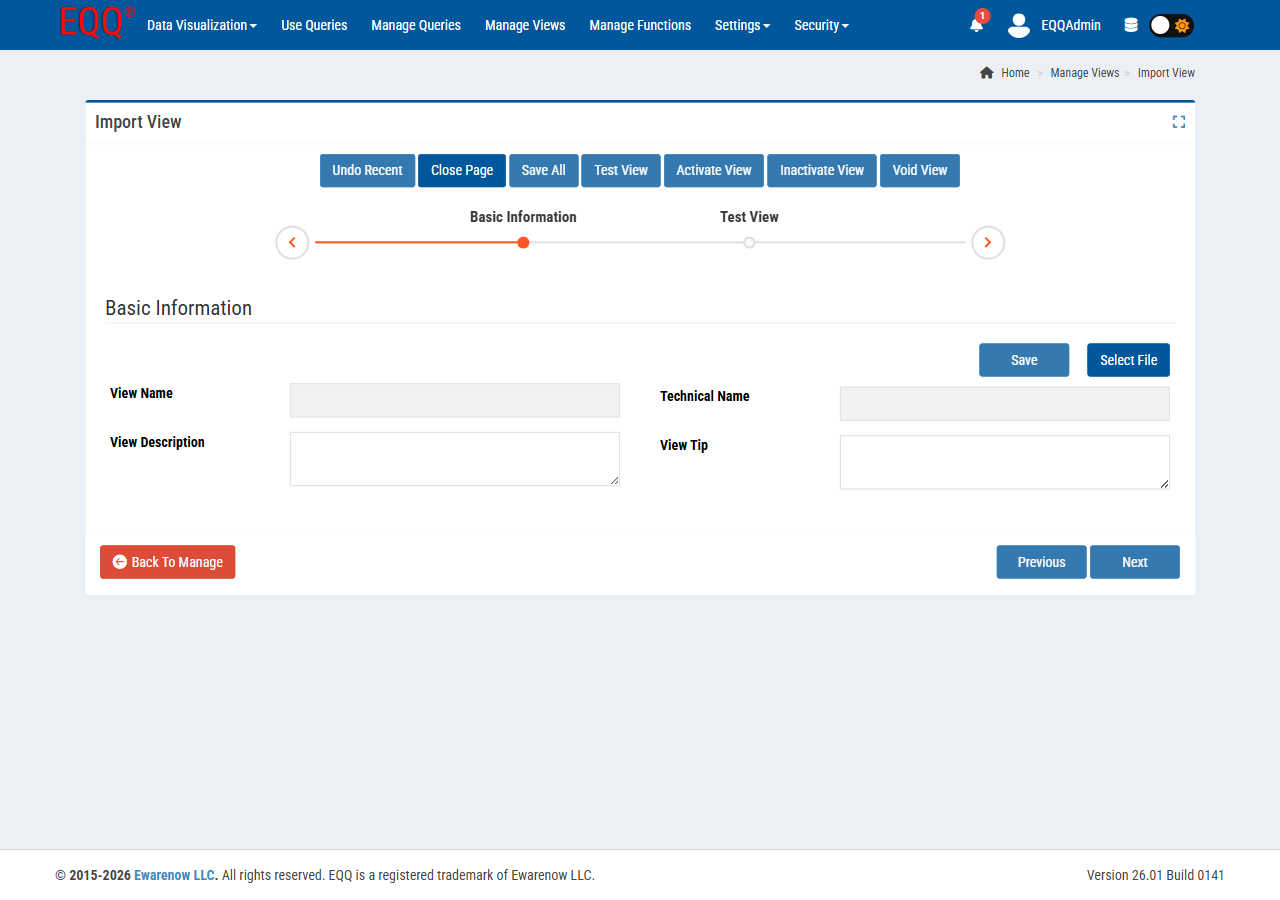
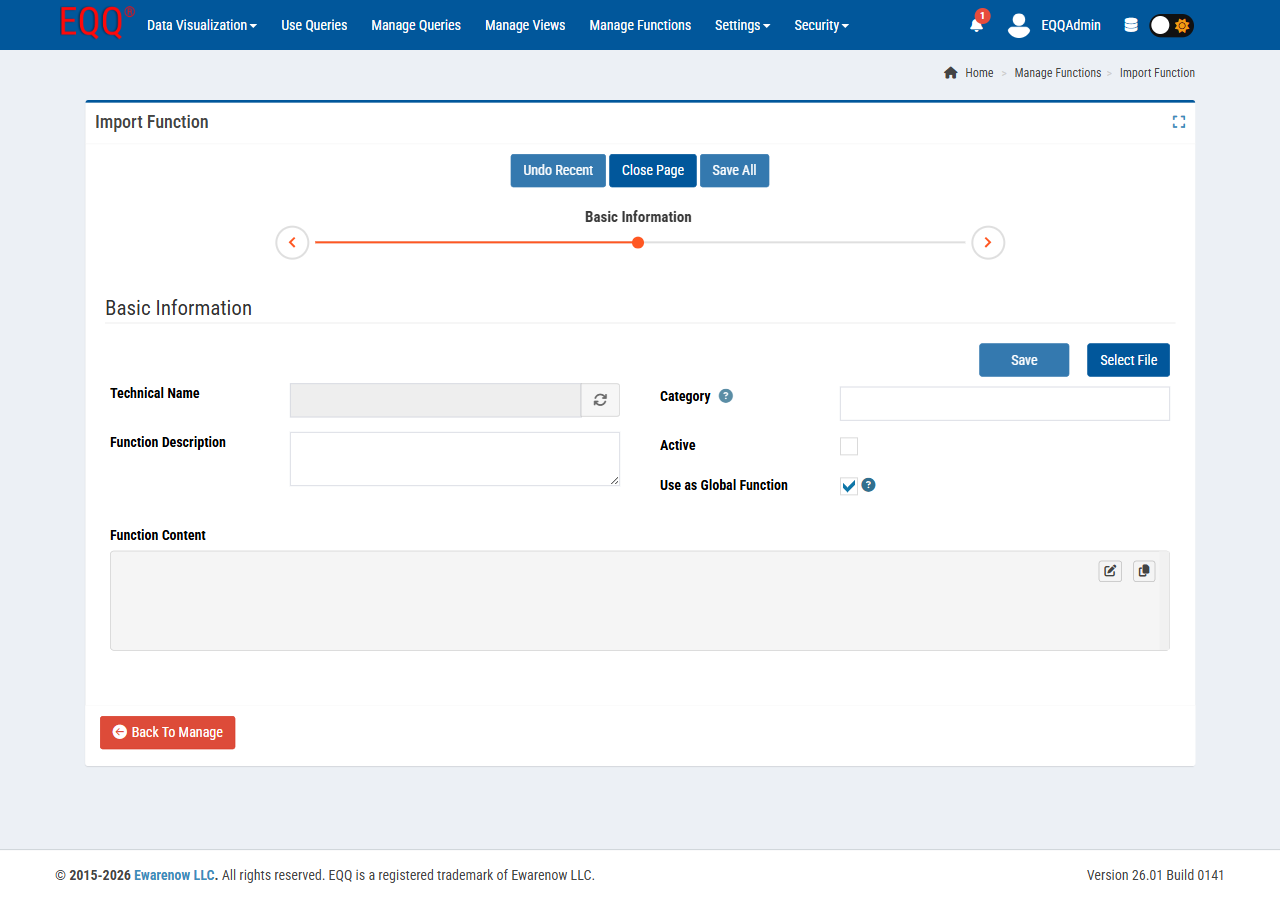
- Exports are JSON files; keep them in source control.
- On import, EQQ validates names against existing Views/Functions and surfaces conflicts before writing.
- Queries are not imported this way - use Clone Views & Queries instead, because queries carry view bindings that must exist first on the target.
9.3 Large Result Handling and Excel Limits
EQQ streams rows beyond LargeQueryResultThreshhold (default 5000) so the browser doesn't hang. For exports:
| Format | Practical limit |
|---|---|
| Excel | LimitRowExcelPerSheet rows per worksheet (default 1,048,576 - the Excel max). |
| CSV | No hard row limit - streaming. |
| JSON | Paginated via queryMoreCode. |
For multi-million-row pulls, prefer CSV or JSON with paging.
9.4 Query Epilogue
The Epilogue step in the Query Editor lets you run an arbitrary SQL statement after the main SELECT completes in the same transaction. Common uses:
- Insert an audit row (
INSERT INTO tAudit VALUES (...)). - Flip a "reviewed" flag on the returned rows.
- Compute a summary row written back into a reporting table.
Epilogue access is controlled by the license flag Use Query Epilogue - not all editions include it.
Example: