Run Your First Query
This is the whole job for most EQQ users: find a query someone built for you, run it, get your data. No setup required - if a database and a query already exist, you're ready.
Step 1 - Open Use Queries
Click Use Queries in the top bar.
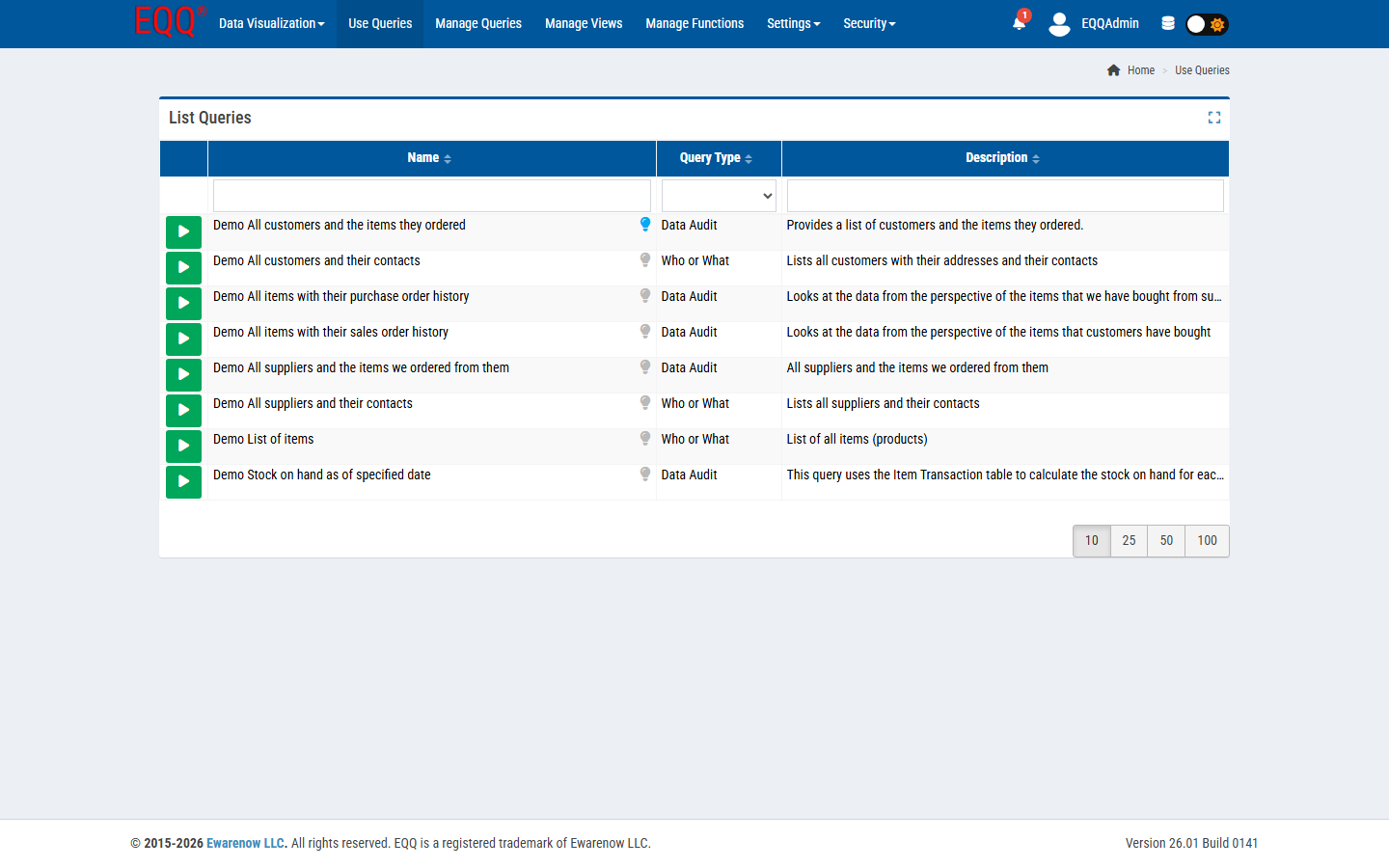
This list only shows queries that are Active and available to your role and database. Each row has:
| What you see | What it means |
|---|---|
| Green ▶ button | Click to run this query |
| Name | Hover for the full name if it's cut off |
| Bulb icon | A tip from whoever built the query - hover to read it |
| Query Type | A category like Data Audit or Who or What |
| Description | What the query returns |
Use the search box under any column header to narrow the list, or the page-size buttons (10/25/50/100) at the bottom right.
Step 2 - Run it
Click the green ▶ button on the query you want.
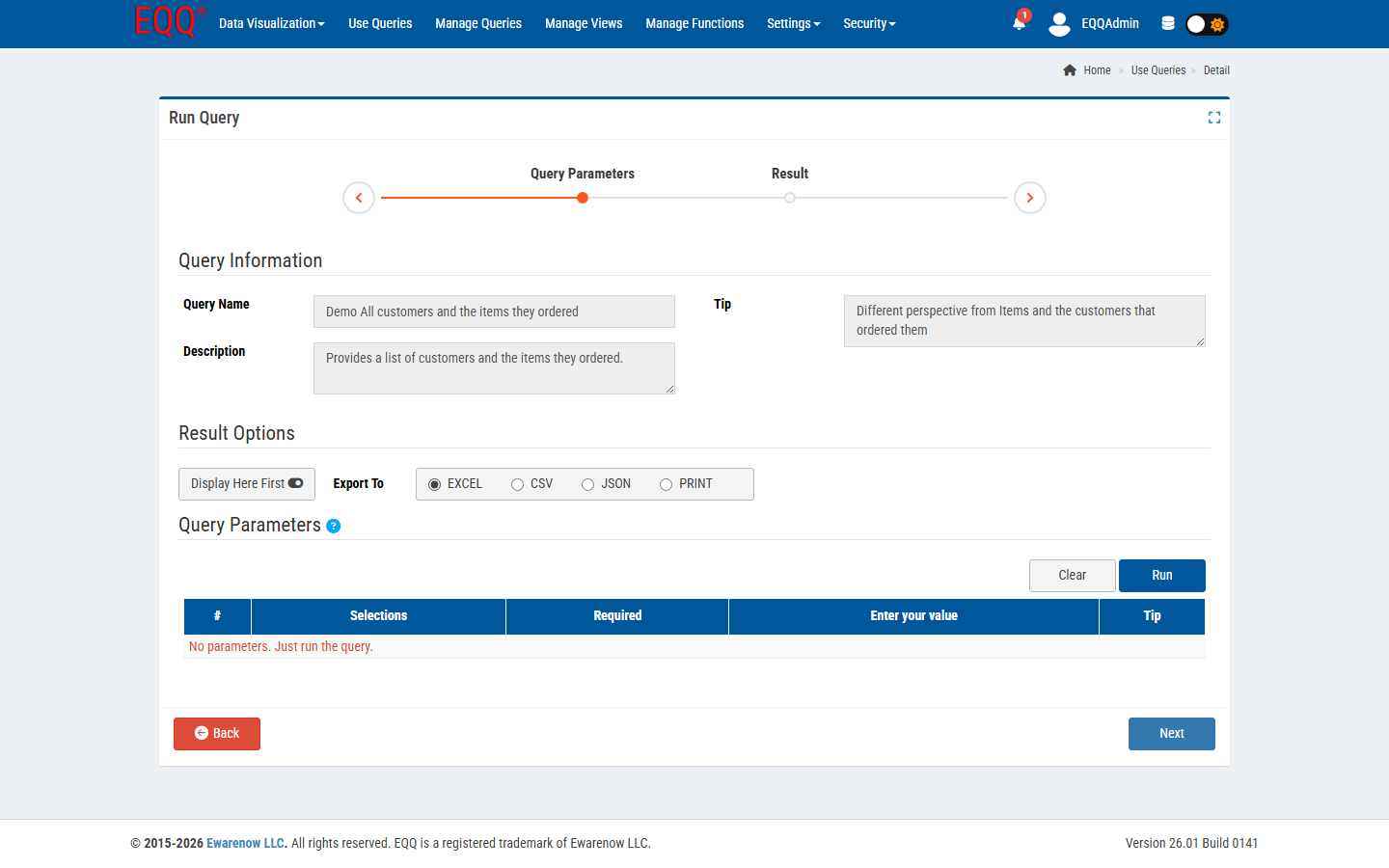
You'll see three things:
- Query Information - confirms you picked the right query (name, description, tip).
- Result Options - toggle Display Here First to preview in-app before exporting, and choose Export To: EXCEL, CSV, JSON, or PRINT.
- Query Parameters - any inputs the query needs, one row per parameter. A red
*next to a parameter means it's required - the Run button won't work until you fill it in. If the query needs nothing from you, you'll see a banner saying so.
Fill in any required parameters and click Run.
Not sure what to enter?
Hover the Tip column next to a parameter - the query's designer often leaves a hint there.
Step 3 - Work with your results
If Display Here First was on, your results land in a grid on the same page:
- Click any column header to sort.
- Type in the box under a header to filter in real time.
- Increase the page size (up to 100 rows shown at once) - exports always contain the full result, not just what's on screen.
- Very large results (over 5,000 rows) stream in automatically so your browser doesn't freeze; you'll see a banner when this happens.
If you chose an export format instead, the file downloads directly - Excel exports respect a per-sheet row limit (just under 1.05 million rows); CSV and JSON have no practical limit.
What's next?
| I want to... | Go here |
|---|---|
| Build my own query instead of using someone else's | Build Your First Query |
| Understand every field on this screen in depth | Reference: Views and Queries |
| Get my query's data into another system automatically | Reference: Visualization & API Delivery |