

EQQ is an ASP.NET application on Windows + IIS. If you have installed any modern .NET web app, you have done this before. If not, here is the full checklist.
Prerequisites
- Windows Server 2012 R2 or newer (2019+ recommended).
- IIS 8.5+ with ASP.NET features enabled.
- .NET Framework 4.7.2 installed.
- .NET 8 runtime (only if you run the MCP Gateway).
- SQL Server 2016+ reachable from the server.
Installer walkthrough
- Double-click the EQQ installer MSI.
- Accept the license.
- Enter the target IIS site name and app pool (the installer creates both).
- Provide SQL Server connection details - the installer applies the migration scripts from
Migrations/Scripts/on first start. - Set the EQQAdmin email and password on the admin account screen - this becomes your first login credential.
- Click Install. Five minutes later, browse to
http://your-server:8081/.
For the full sequence of screens and the silent-install command, see the Installation guide.
First login
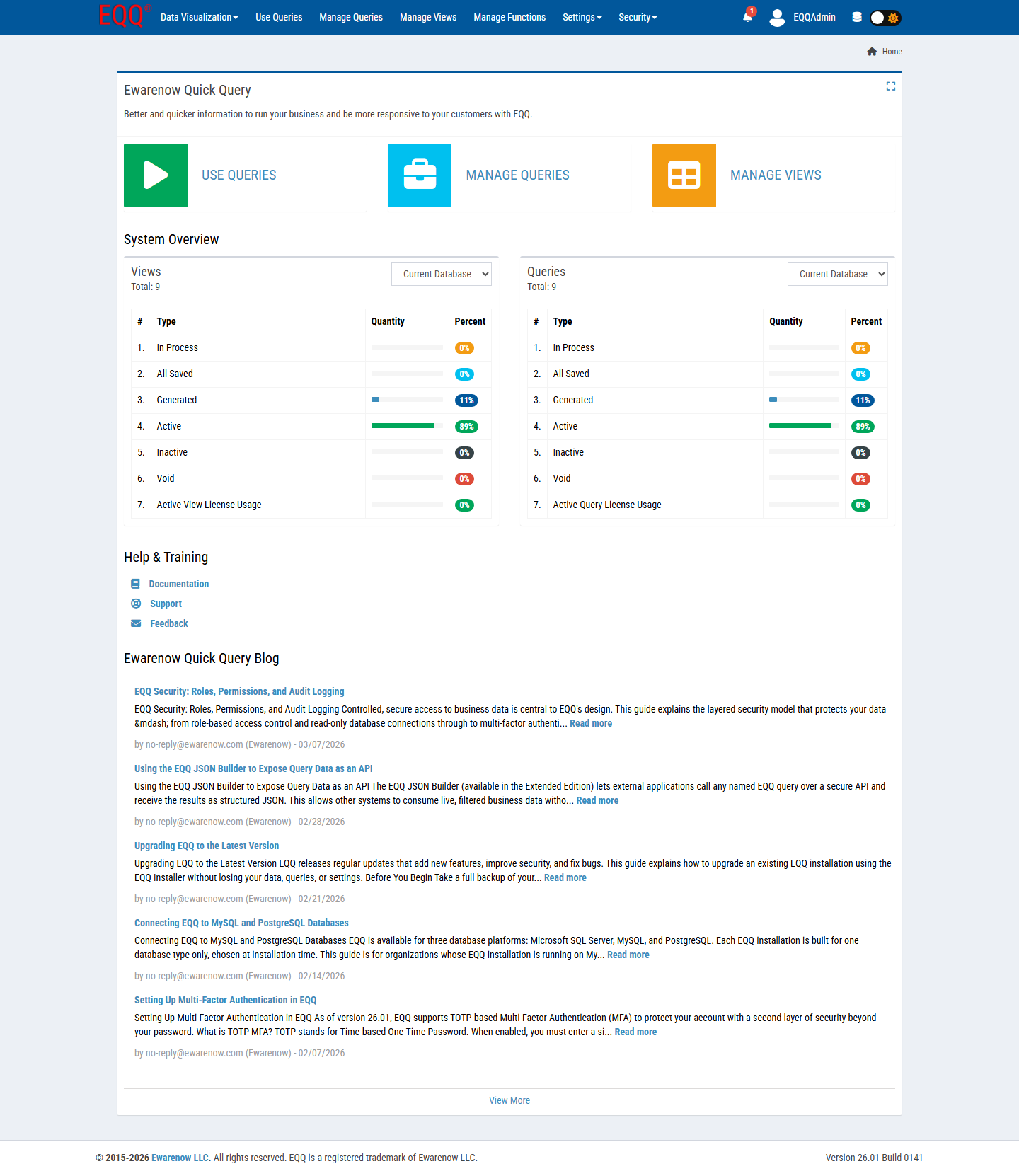
Sign in with EQQAdmin and the password you set during the installer. There is no default password. Create at least one additional security admin account so you have a backup if the primary is locked out.
Configuring IIS for EQQ: Application Pool and site setup
The installer creates the Application Pool and site automatically, but verify the following after installation. Set the Application Pool's .NET CLR Version to .NET CLR Version 4.0 and the Managed Pipeline Mode to Integrated. The pool identity must have read access to the EQQ site folder and read/write access to App_Data. For HTTPS, bind an SSL certificate to the site in IIS Manager; EQQ respects the X-Forwarded-Proto header so it works correctly behind a reverse proxy or load balancer.
Gotchas
- If IIS throws 500.19 on first browse, confirm the app pool is set to .NET 4.0 CLR (integrated) and the pool identity has read access to the site folder.
- If migration fails, check
App_Data/Logs/error.log- usually a missing database permission. - For HTTPS, bind an SSL cert to the site in IIS Manager; EQQ respects
X-Forwarded-Protobehind a reverse proxy.
Key Terms
- IIS - Internet Information Services - Microsoft's web server built into Windows Server, used to host EQQ.
- SSL - Secure Sockets Layer (now superseded by TLS) - the cryptographic protocol that enables HTTPS.
- MSI - Microsoft Installer - the Windows package format used by EQQ's setup wizard.
- CLR - Common Language Runtime - the .NET execution engine that runs EQQ's server-side application code.
Want more Information?

Ewarenow
Related Posts
-

-

Close Month-End Faster With EQQ
Jun 19, 2026 -


