

Most SQL-to-API stories start with “so first we built a small web service…” EQQ skips that. Every saved query is already a REST endpoint. You just turn it on.
Your query is already an API endpoint
- Open the query you want to publish in Manage Queries.
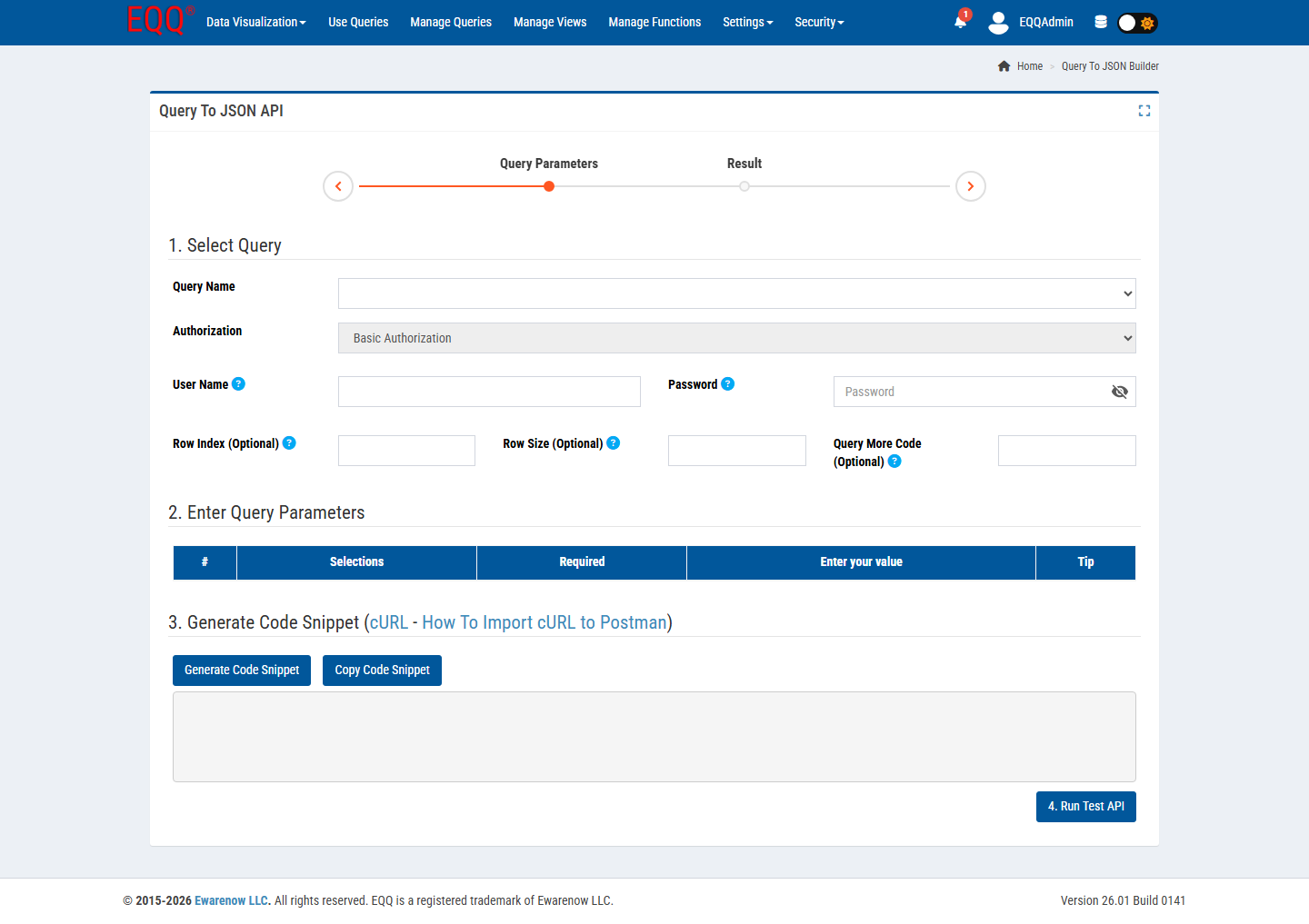
- Switch to Query To JSON from the Data Visualization menu.
- Fill in the required fields: Query Name, Authorization, User Name, and Password. Optionally add Row Index, Row Size, and Query More Code to support pagination and continuation tokens.
- Click Generate. EQQ mints a URL like
/api/usequery/42/executeand a samplecurl. - Pass your credentials as configured — the endpoint enforces the authorization you set.
Call it from anywhere
curl -H "X-API-Key: $EQQ_KEY" \
  -H "Content-Type: application/json" \
  -d '{"StartDate":"2026-01-01","EndDate":"2026-03-31"}' \
  http://your-eqq:8081/api/usequery/42/execute
The response is a JSON array of rows with typed columns. No server-side DTO, no controller, no Swagger fight. If you change the query, the endpoint just reflects the new shape.
Why this matters
- Time to first byte: minutes, not sprints.
- One source of truth: the data team owns the query, the app team owns the UI. They meet at the endpoint.
- Security in the right place: API keys are scoped to roles; a rogue key cannot escalate.
Typical integrations in one afternoon
- A Next.js dashboard pulling month-end numbers.
- A Slack bot answering “how many open tickets?” from a query.
- A scheduled job exporting compliance rows to SFTP nightly.
Dive deeper in the Query To JSON docs.
Key Terms
- DTO - Data Transfer Object - a class that carries data between application layers with no business logic.
Want more Information?

Ewarenow
Related Posts
-

-

Close Month-End Faster With EQQ
Jun 19, 2026 -


