

If you catch yourself copying the same CASE WHEN or date-trick into five queries, it is time to turn it into a Function. EQQ functions are named, reusable SQL snippets that any query designer can drop into a query.
The fQQ_ convention
By convention, EQQ-managed functions are prefixed with fQQ_ (e.g. fQQ_MonthBucket, fQQ_CurrencyRound2). This keeps them discoverable and prevents collisions with database-native functions.
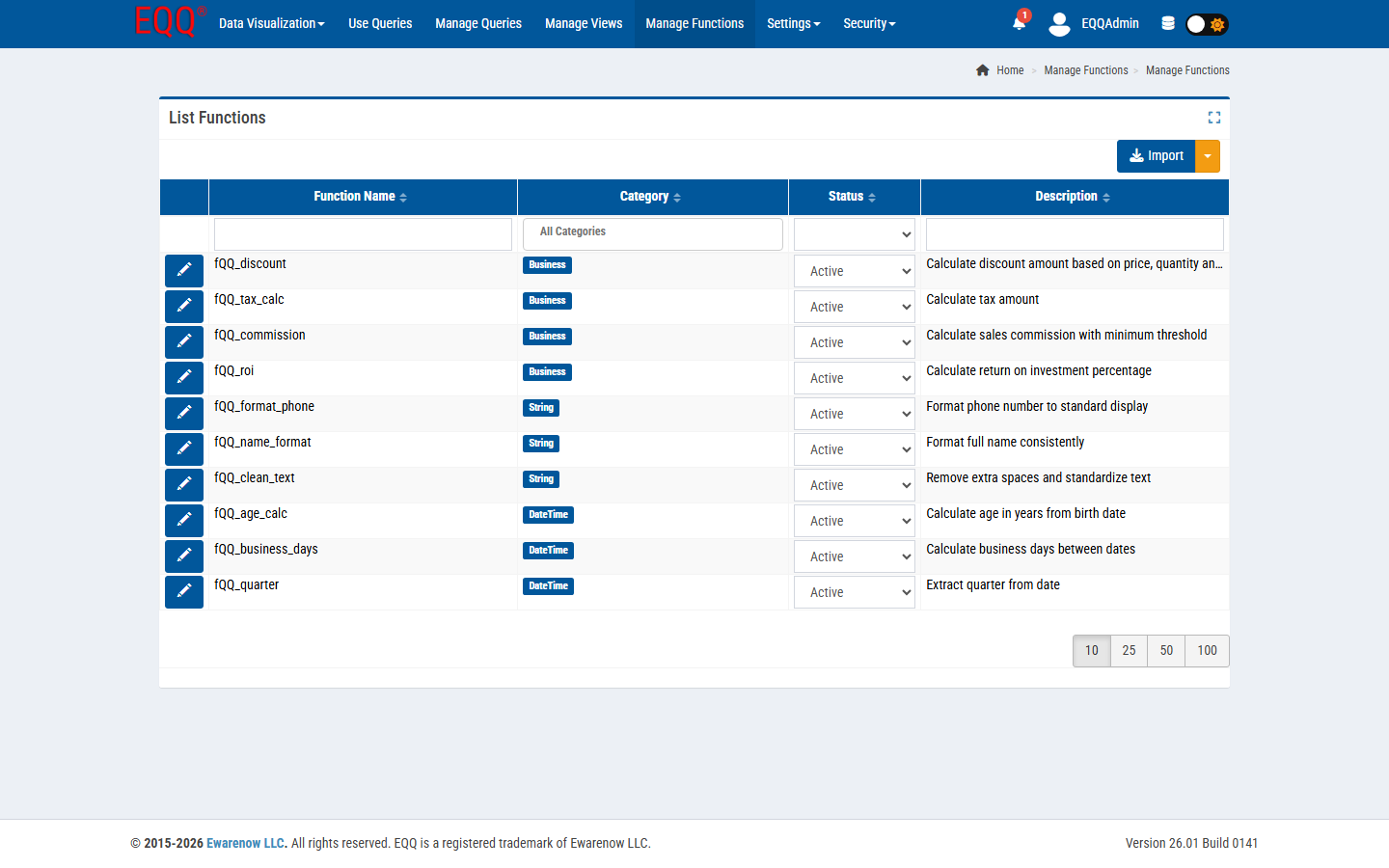
Creating a reusable SQL function in EQQ
- Open Manage Functions → New.
- Name it
fQQ_MonthBucket. - Pick a Category (e.g. Date / Time).
- Paste the SQL body:
DATEFROMPARTS(YEAR(@d), MONTH(@d), 1). - Declare the parameter
@das date. - Save. The function is now available in the query editor.
Call it from a query
SELECT fQQ_MonthBucket(OrderDate) AS Month, SUM(Amount) AS Revenue
FROM Orders
WHERE OrderDate BETWEEN @StartDate AND @EndDate
GROUP BY fQQ_MonthBucket(OrderDate)
ORDER BY Month
Function status: Active and Inactive
Unlike queries, which progress through a full lifecycle (In Process → All Saved → Generated → Active → Inactive → Void), functions have a simpler two-state model: Active or Inactive. An Active function is available for use in any query in the same database scope. Set it Inactive to retire it without deleting the definition — useful when you are refactoring logic but want to preserve history.
Why this scales
- One place to fix a bug - fix the function, every query is fixed.
- One place to update business logic - change the definition of “revenue” in one function.
- Analysts read a query with
fQQ_MonthBucketand instantly know what it does.
Want more Information?

Ewarenow
Related Posts
-

-

Close Month-End Faster With EQQ
Jun 19, 2026 -


