

Pointing an AI assistant at a database is not the same as making it useful. Here are the prompt patterns that make EQQ + Claude actually work day-to-day.
Pattern 1: Ground in the tool list first to eliminate hallucinated query names
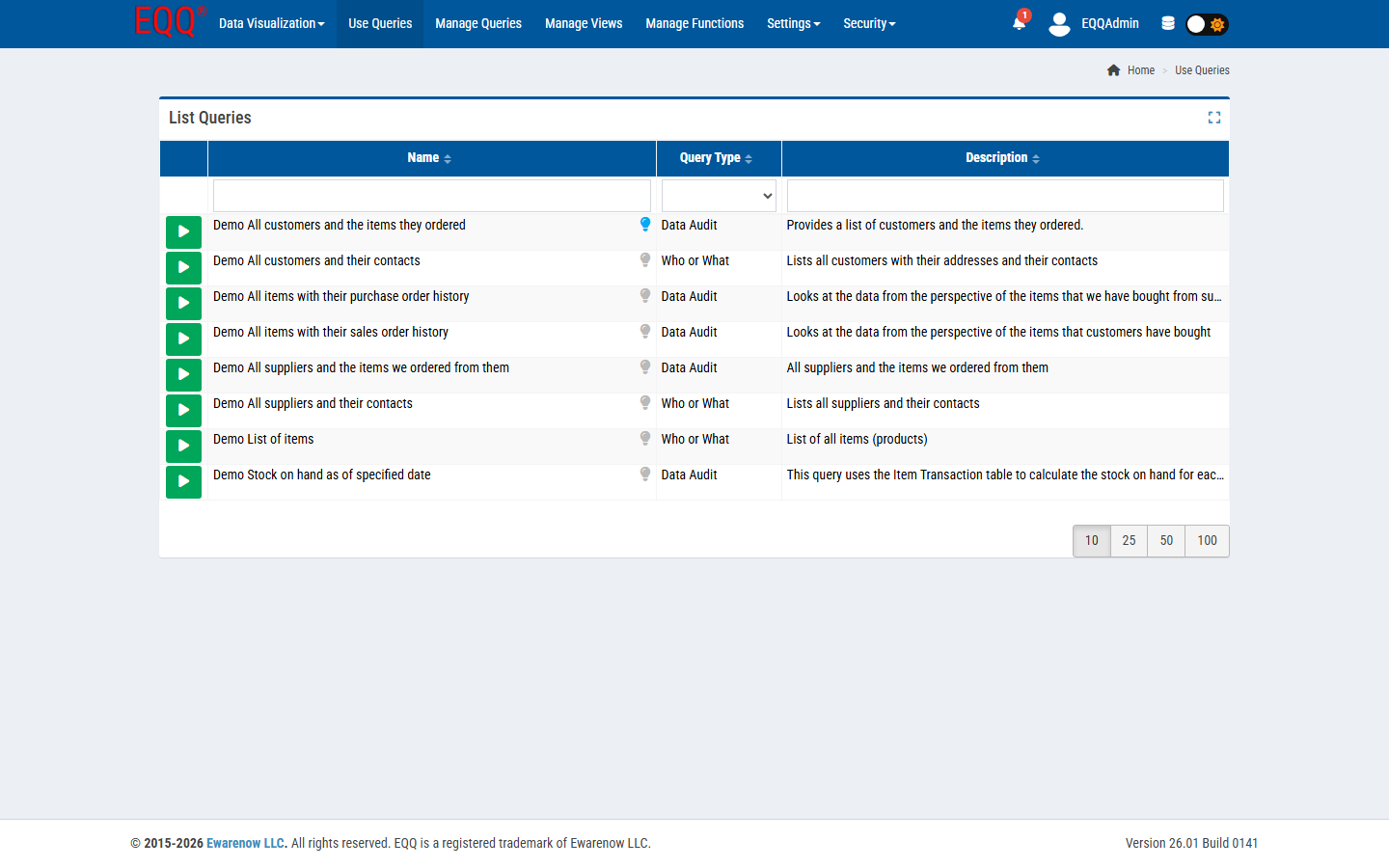
Start conversations with “list the EQQ queries available to you”. Claude calls list_queries and gets a concrete menu. The rest of the conversation references those names - you avoid hallucinated query names.
Pattern 2: Let the model ask for parameters so your prompts stay short and reusable
Instead of filling every parameter in your prompt, say “run the invoice-by-region query; ask me what inputs you need”. Claude will fetch the parameter schema and ask only what is missing.
Pattern 3: Combine EQQ data retrieval with the model's code tools to get charts without a BI tool
“Run the daily revenue query for the last 90 days, then compute week-over-week growth and plot a chart.” EQQ hands back raw numbers; Claude's Python tool does the math; you get a chart.
Pattern 4: One question, one export — get a summarized JSON file in a single prompt
For scheduled summaries, use export_query directly: “export the month-end close query to JSON and summarize the three biggest movers.”
Prompt patterns that waste tokens and frustrate users
- Asking Claude to “write a SQL query to answer X.” It can, but you lose the governance. Prefer a pre-built query.
- Running the same expensive query in a loop. Call it once, let Claude process the result set.
Want more Information?

Ewarenow
Related Posts
-

-

Close Month-End Faster With EQQ
Jun 19, 2026 -


