

One of EQQ's least obvious features is also its most important: the query lifecycle. Every query you build progresses through states, and only the Active state is visible to end users. Here is why that matters.
All six lifecycle states explained
- In Process - draft; visible only to the author.
- All Saved - parked; not yet generated for execution.
- Generated - SQL body compiled and validated against the database.
- Active - visible to end users; can be run.
- Inactive - temporarily hidden; runnable only by admins.
- Void - permanently retired; audit trail preserved.
Why a state machine beats simple versioning
Many tools model “published” as a version pointer. EQQ models it as a state machine because most of what breaks production data is the transition, not the version. By making the transition explicit, EQQ gives you a natural place to hang validation, approval, and rollback.
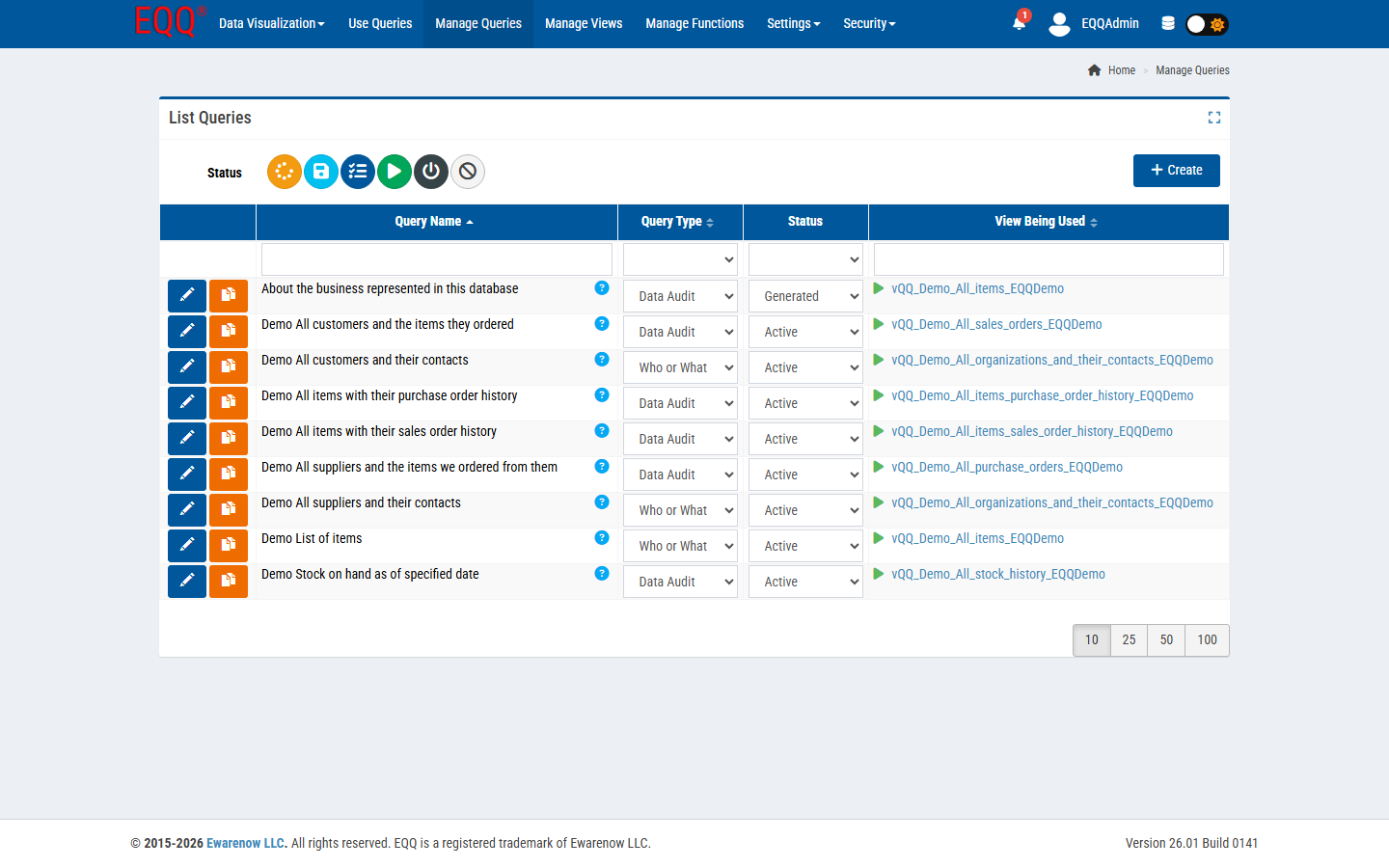
Typical promotion flow
Analyst drafts in In Process → All Saved to park overnight → Generated to validate against the schema → Active when a reviewer signs off → Inactive when the question is no longer needed → Void at end-of-year cleanup.
The EQQ home page shows a live breakdown of your query estate by state — for example: 7% In Process, 9% All Saved, 45% Generated, 24% Active, 4% Inactive, 11% Void. This at-a-glance view helps managers spot bottlenecks before they reach production.
Built-in compliance and audit trail
Every state change is logged: who, when, from what state, to what state. That satisfies most internal compliance frameworks (SOX change control, ISO 27001 change management, HIPAA access controls) without bolting on a separate workflow tool.
Key Terms
- SOX - Sarbanes-Oxley Act - US federal law requiring auditable internal controls over financial reporting.
- HIPAA - Health Insurance Portability and Accountability Act - US law mandating the protection of patient health information.
- ISO - International Organization for Standardization - the body that publishes standards such as ISO 27001 for information security management.
Want more Information?

Ewarenow
Related Posts
-

-

Close Month-End Faster With EQQ
Jun 19, 2026 -


