

Every organization has data it cannot show to everyone. Finance sees salaries; sales sees pipeline; HR sees employee records. EQQ handles this cleanly with roles that scope who can see which query against which database.
Why spreadsheet-based access control fails at scale
Permissions attach to roles, roles attach to users, and every query lives inside a database scope. Effective access is the intersection. Each role can be granted any combination of seven permission columns: Settings, Security, Use Queries, Manage Queries, Manage Views, Manage Functions, and Update App Data. A typical end-user role only needs Use Queries; data stewards add Manage Queries and Manage Views; administrators may hold all seven.
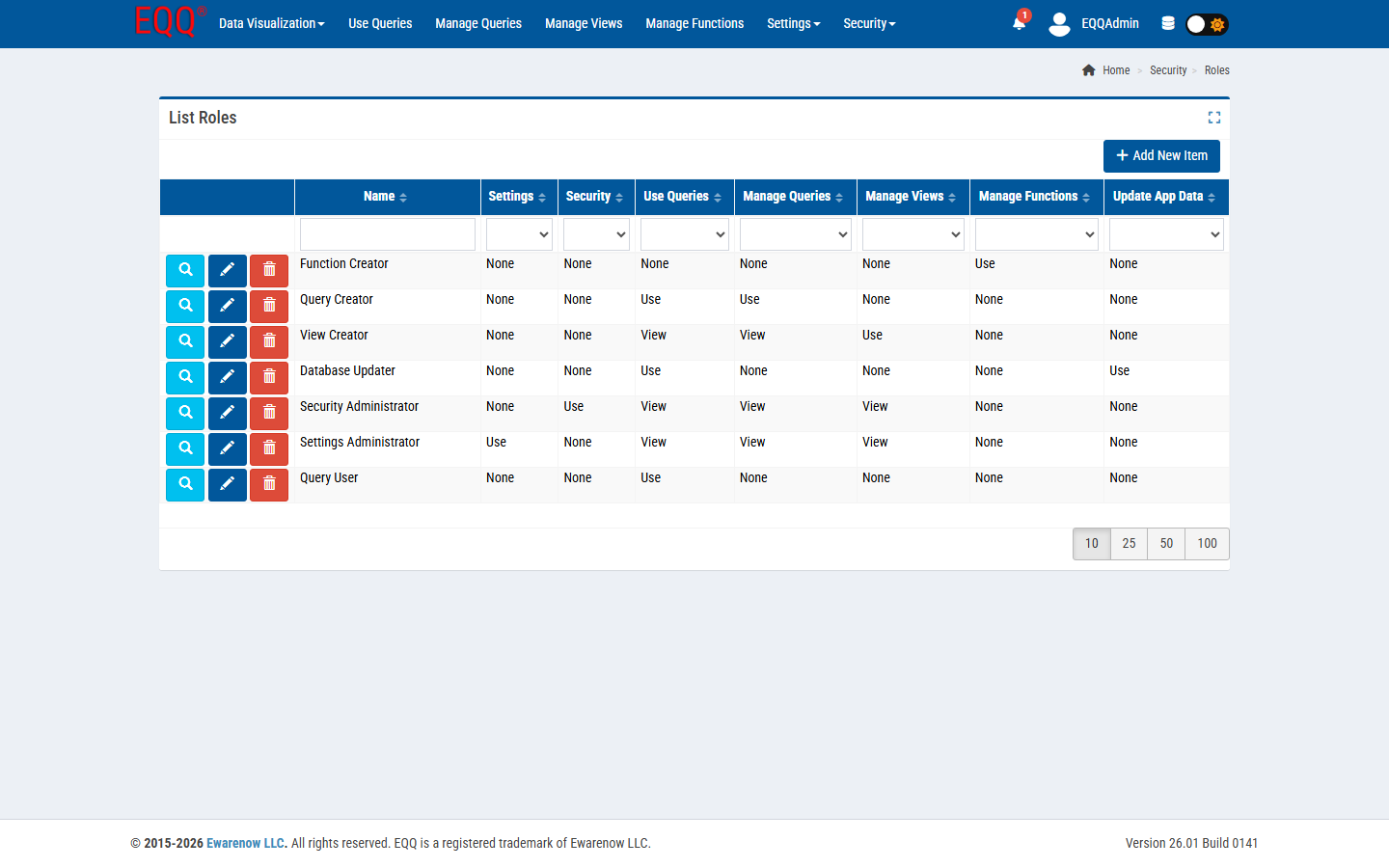
How to set up a read-only finance role in four steps
- Security → Roles → New. Name it Finance Query User.
- Grant Use Queries permission on the Finance database scope.
- Do not grant Manage Queries, Manage Views, or Settings.
- Assign the role to the users under Security → Users.
Those users will see only the queries you have explicitly marked available to Finance Query User. They have no path to the designer, no path to the admin pages, no path to other databases.
Principle: deny by default
EQQ ships with zero default role assignments. A new user can sign in and see nothing until a security admin grants them a role. This flips the usual “lock things down after the fact” pattern on its head - you open things up deliberately, one role at a time.
Auditing
Every query execution is logged with user, query name, parameters, and timestamp. The audit trail is queryable like any other data source.
Want more Information?

Ewarenow
Related Posts
-

-

Close Month-End Faster With EQQ
Jun 19, 2026 -


