

You built a great set of queries in your staging database. Now you need them in production - and the two databases have different schemas, different IDs, different connection strings. EQQ's Clone feature handles that.
Why copying queries manually breaks governance
Copying queries by hand — exporting SQL, re-creating parameters, reassigning roles — breaks the governance chain. Column names drift, parameters go missing, and there is no record of what changed or who approved it. EQQ's Clone feature moves the entire definition as a unit, with schema validation built in.
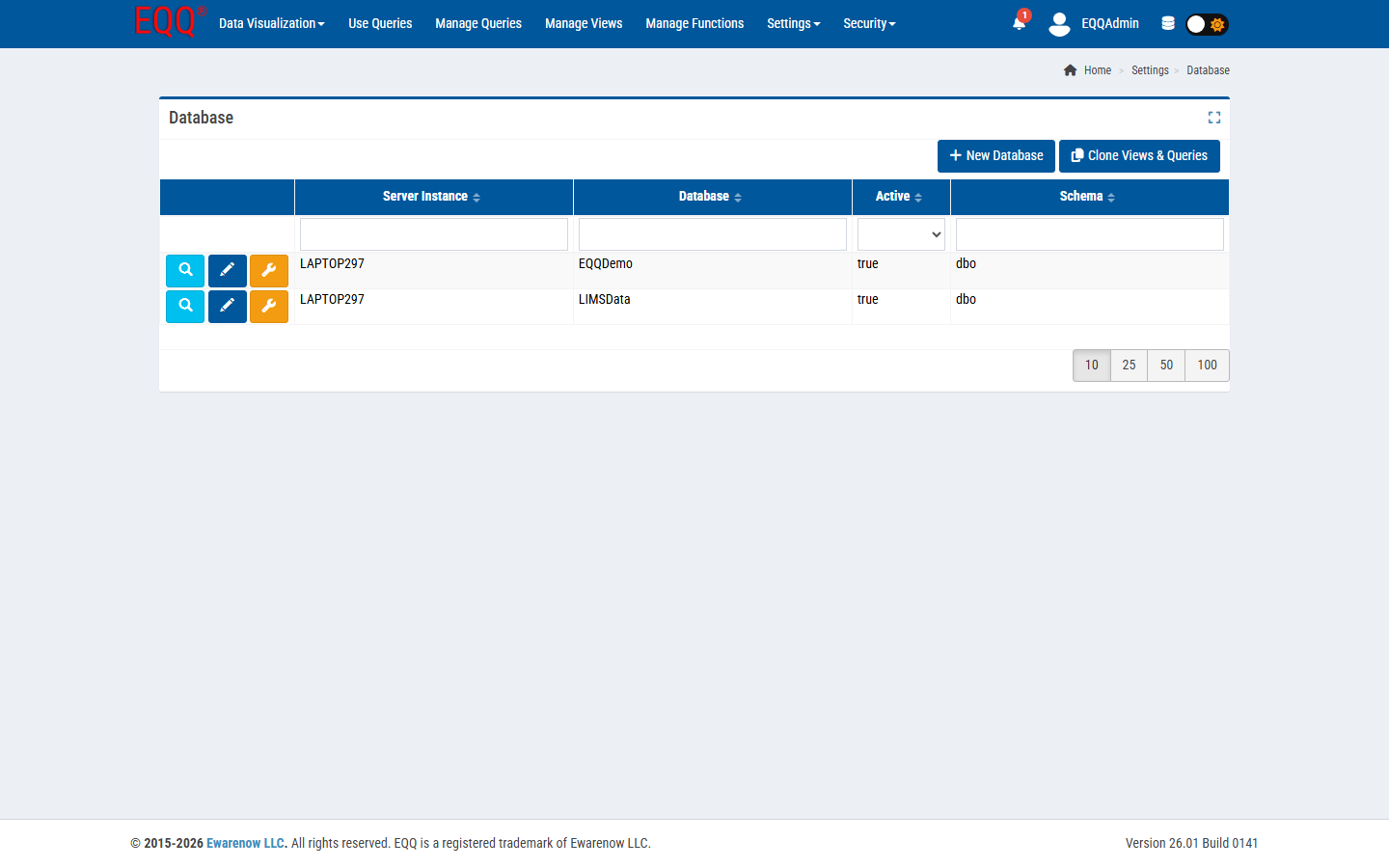
- Views, queries, and functions.
- Parameter definitions and defaults.
- Role permissions (optional).
- Not the data itself - just the definitions.
Cloning in four clicks
- Go to Manage Queries in the source database scope.
- Select the queries to clone, click Clone To Database.
- Pick the target database. EQQ validates that the referenced tables and columns exist.
- Fix any mismatches in the preview, then confirm.
Large-scope clones
Cloning everything from dev to prod can take minutes because EQQ runs schema validation and permission rebinding as it goes. The operation runs as a background job; you can close the page and come back to a finished status.
Practical workflow
- Build and iterate in a staging database scope.
- Test with non-production users.
- Clone to production, then flip queries from In Process to Active.
- Keep staging as your sandbox for the next iteration.
Want more Information?

Ewarenow
Related Posts
-

-

Close Month-End Faster With EQQ
Jun 19, 2026 -


